






.avif)

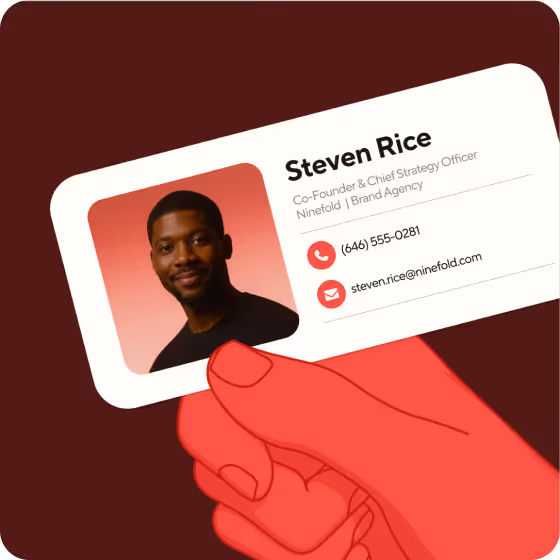
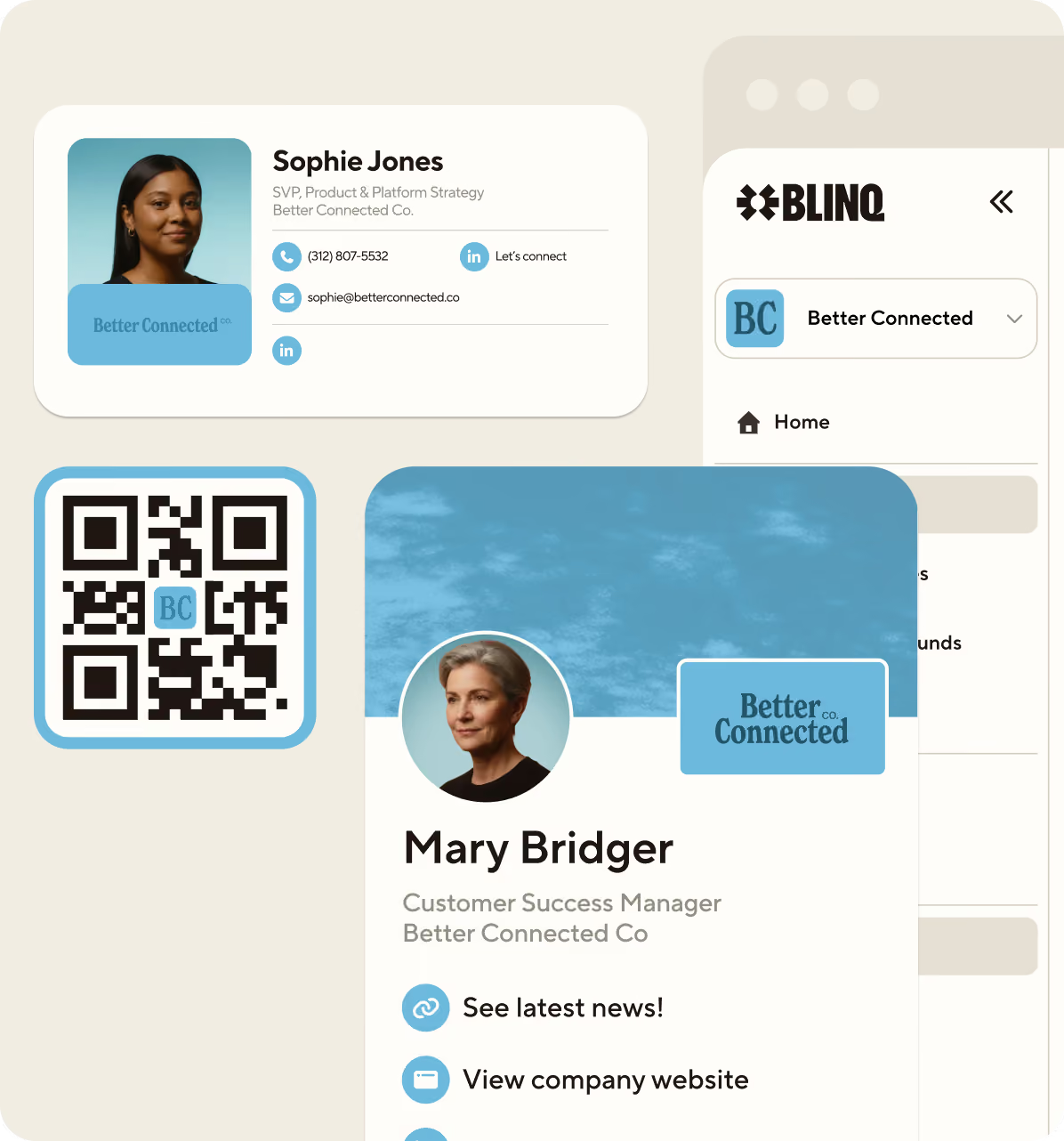
An email signature is the sign-off block at the end of an email that identifies who sent it: your name, role, company, the ways to reach you, and often a logo or headshot. Most people set one up once and never look at it again, even though it goes out on every message they send.
We're Blinq. We build tools for the moment you meet someone and everything after it, from digital business cards and email signatures to lead capture at events. You'll see the signature generator referenced below, and the advice here works with whatever tool you use.
Key Takeaways (TL;DR)
- An email signature identifies the sender. It closes a professional email with your name, role, company, and the contact details a reader needs to reach or verify you.
- Readers say signatures affect trust. 58% of US consumers in a 2023 poll, run by an email signature vendor, said a professional, branded signature makes them trust an email from a business.
- Keep it short. A reader should be able to act on your signature at a glance, so cut anything that competes with the message above it.
- Building one takes about five minutes. Set it up in seconds with an email signature generator, paste it into your email client's settings, then send yourself a test and read it on your phone.
- A signature can end in a saved contact. A QR code or contact card link turns your sign-off into an entry in the reader's address book instead of a line they scroll past.
Email signature definition
An email signature is the block at the end of an email that says who you are and how to reach you. A typical one carries your name, job title, company, phone number, and a link or two, often with a logo or headshot alongside. You set it up once in your email program, and it gets added to your messages from then on.
Signatures began as a plain-text habit. Early internet users signed off with a few lines of name and affiliation, and the convention stuck. Most signatures today are built in HTML, which is what lets them carry a logo, styled links, a booking button, or a QR code. The text stays real text, so readers can select your email address and click your links rather than squinting at a picture.
A work signature and a personal one do different jobs. At work, your signature stands in for your employer, so it needs to be accurate, current, and consistent with everyone else's. For personal mail, a name and a phone number is plenty.
What to include in an email signature
A strong email signature includes your full name, job title, company, one phone number, and one or two links that matter, usually the company website and your LinkedIn profile. A logo or headshot helps if it stays sharp at small sizes. Anything beyond that competes with your actual message.
Name, role, and company are non-negotiable. A phone number and one or two links take you to about six elements, which is the practical ceiling. Everything else in the table is conditional, so add it only when the "keep it if" test applies to your role.
Email signature examples
A professional email signature for someone at a company is structured like this:
Sam Rivera
Partnerships Manager, Acme Software
+1 (415) 555-0132acmesoftware.com | LinkedIn | Save my contact
The name and role establish who's writing, and the phone number, links, and save-contact action give the reader somewhere to go next.
Working for yourself changes two lines. Use your discipline where the job title would go, and let your portfolio do what a company website does:
Ada Okonkwo
Brand and identity design
+1 (415) 555-0148ada.design | LinkedIn | Save my contact
Freelancers often want to add a company name that doesn't exist yet. Your name is the brand at that stage, so give it the top line and put the work on the second. For more layouts by role and industry, see our email signature examples.
Why your email signature matters
An email signature matters because it's the closest thing to an identity check many readers do. In a 2023 Censuswide poll of 1,000 US consumers, commissioned by the email signature vendor Exclaimer, 58% said a professional, branded email signature makes them trust an email from a business, and 70% said they feel frustrated when contact information is missing.
Treat that number with the caution it deserves. Independent research on email signatures barely exists: the studies quoted in this category are almost all run by companies selling signature software, and we couldn't find an academic or neutral-industry equivalent. The one thing the vendor polls agree on is unremarkable enough to be credible, which is that readers notice when contact details are missing.
I click on email signatures when I get a cold email. A lot of people will never visit your website; they'll scan the signature and maybe click through to LinkedIn. That's a few seconds of attention, and it's worth designing for.
McKinsey estimated in 2012 that interaction workers spend 28% of the workweek managing email. The figure is dated, but every message you send still ends the same way. Your signature goes out hundreds of times a month whether you designed it or not.
"An email signature absolutely makes an impression. How well branded it is tells me a lot about a company’s craft and attention to detail, which stays with me." - Kieran Ormrod, Blinq
How to set up an email signature
You can set up an email signature in your email client's settings, or build one in a generator and paste it in. Building it first is the easier path: Blinq's free email signature generator handles the layout and gives you a design that renders consistently across most clients, then you paste the result into whichever client you use.
Add a signature in Gmail
Build your signature in the generator and copy it. In Gmail on desktop, go to Settings > See all settings > Signature, paste it in, and choose it as your default under the box. Gmail keeps several signatures, so you can switch between them as you write.
Add a signature in Outlook
Copy your generated signature, then in new Outlook for Windows, Outlook on the web, or Outlook.com go to Settings > Accounts > Signatures, add a signature, give it a name, and paste yours in. Classic Outlook for Windows keeps them under File > Options > Mail > Signatures. Outlook for Mac works differently again, and Microsoft documents it separately.
Add a signature on iPhone
If you use Apple Mail, signatures there are text only, so a formatted signature won't paste in. Either set a plain-text version under Settings > Apps > Mail > Signature on iOS 18 and later (Settings > Mail > Signature on older versions), or send from the Gmail or Outlook app, where your account-level signature applies. Set something either way, or replies from your phone will ship the default "Sent from my iPhone" instead of your name.
Add a signature on Android
In the Gmail app, tap Menu > Settings, choose the account, then tap Mobile signature. This one is text only and separate from your desktop signature. If you leave it blank, new messages fall back to the signature you created on your computer, which is usually the result you want.
For a full walkthrough with screenshots, follow our guide to creating and managing an email signature.
Email signature best practices
Email signature best practices come down to restraint and testing. Keep the layout to a single narrow column, use standard fonts, cap yourself at two colors, and check the result on a phone before you commit. Keep it spare, because the signature competes with your own message for attention.
What not to include in an email signature
Cut inspirational quotes and any design delivered as a single image. Image-only signatures disappear when a client blocks images, and screen readers get nothing to read without alt text. Long disclaimers deserve scrutiny too: if legal hasn't asked for one, it's noise that pushes your contact details below the fold. Our email signature etiquette guide covers the conventions in more depth.
Email signature design tips for mobile and dark mode
People read much of their email on phones, so design for the small screen first. Litmus's May 2026 client-share data puts Apple's mail apps at 64.66% of tracked email opens and Gmail at 24.11%, and neither is forgiving of wide layouts or exotic fonts.
Send a test to yourself and open it on a phone, in light mode and dark mode. Dark mode can invert colors and put a white halo around logos, so check both before you roll the signature out.
How to make your email signature saveable
A saveable email signature lets the reader add you to their phone contacts in one tap, through a QR code or a contact card link. Details a reader would scan once become an entry in their address book, on the device they actually carry.
"If someone saves your contact from your signature, your next call isn't an anonymous number that gets blocked. It's a saved contact." - Sarah Ellice-Flint, Blinq
A signature and a digital business card divide the same job between them: the signature rides on every message you send; the card is for the moment you meet. We've compared the two in detail in email signature vs digital business card.
Blinq's generator builds the saveable part in, so the signature carries a save-to-contacts flow and the people you email can keep your details on their phone. Build the signature in Blinq and paste it into Gmail or Outlook; when your details change, update them in Blinq and paste the refreshed signature back in.
How to use your email signature for marketing
An email signature works as a marketing surface because it rides on messages people already open. The mail you send one-to-one arrives already wanted, so a deliberate link, banner, or booking button reaches a reader at the moment they're engaging with you.
Treat the links as inventory. Pick one campaign at a time, swap the banner when it ends, and point every link at a page you'd stand behind in a meeting. A stale banner is worse than no banner.
Measure it like any channel you own. Add UTM tags to signature links so clicks show up in your analytics, and judge banners on what they move. No independent research documents signature click-through rates, so treat any benchmark you read as a vendor's number and build your own baseline.
How to manage email signatures across a company
Company email signatures stay consistent when one team manages a single template instead of leaving it to each person's settings. Marketing or IT keeps one place where the logo, links, or legal line get updated, and everyone's signature starts from the same layout. Left to individuals, signatures drift within months into old logos and job titles nobody updated.
People set a signature on day one and rarely look at it again, so every rebrand and reorg leaves a layer of mailboxes behind. Under about ten people, a shared template and careful copy-paste hold up; past that, someone's signature is out of date at any given time.
You have two routes at team scale. Microsoft 365 admins can append an organization-wide signature with a mail flow rule, though Microsoft's guide notes the trade-offs: senders never see the appended signature, not even in Sent Items, and it can't sit beneath the latest reply. Dedicated signature management software adds templates and one place to change everything. Whatever tool you shortlist, check for the same two things: an enforced template, and a single place to push updates.
Blinq's email signature manager covers the team side: build a company template with your logos, colors, and details, and manage updates from one place. If your team has outgrown manual copy-paste, we've written about when a signature manager is worth it.
Email signature legal requirements in the US, UK, and Germany
Legal requirements for email signatures depend on where your business is registered and which markets you email into, and they attach to the email itself rather than the signature block. In the US, commercial email must carry a valid physical postal address. UK companies must show their registered name and company details on business letters and emails, and Germany goes further: company information on business correspondence in whatever form, with the details set out in statute.
If you send prospecting email for a US company, this applies to you. The FTC's guide makes no exception for business-to-business email, so outreach needs the postal address and a working opt-out. Purely transactional email is treated differently: a message that only confirms or completes a deal the recipient already agreed to, such as an invoice or a delivery update, must still carry truthful routing information but is otherwise exempt from most of CAN-SPAM. The FTC reads those categories narrowly, so a project email with a pitch bolted on counts as commercial.
Consent rules sit on top of the disclosures. Canada's CASL requires consent before commercial email, Germany requires prior express consent for unsolicited B2B outreach under UWG section 7, and the US and UK permit unsolicited B2B email to corporate recipients, with the UK rules set by PECR. Treat this as a starting point rather than legal advice, and let your legal team set the disclaimer wording.
Create your free email signature
Pick a layout in Blinq's email signature generator, add your details, and your next email goes out with a sign-off people can save.
FAQs
How long should an email signature be?
Keep an email signature to three or four lines and six elements at most: name, role, company, one phone number, and one or two links. It should fit on a phone screen without scrolling. Name, role, and company are the non-negotiable part; everything else is optional.
Is an email signature the same as an electronic signature?
No, an email signature is not the same as an electronic signature. An email signature is the identity block at the end of your emails. An electronic signature is a legal mechanism for signing documents, like the click-to-sign flow in contract tools. Adding a signature block to an email doesn't execute or sign anything.
What is the best format for an email signature?
The best format for an email signature is HTML with a plain-text fallback. HTML is the standard for professional signatures because it carries a logo and styled links, while the fallback covers clients that strip formatting. Use a single-column layout either way, so the signature reflows on a phone rather than breaking.
Should you include a photo or pronouns in your email signature?
Include a photo or pronouns in your email signature when they serve the reader. A headshot makes you recognizable to people who'll later meet you in person, and pronouns remove guesswork in written introductions. Both are normal in modern professional signatures. The practical constraint is size: a photo has to stay sharp at small dimensions and shouldn't push your contact details out of view.
Do you need your full signature on every reply?
No, replies don't need your full email signature. The convention is a complete signature on the first message in a thread and a trimmed version, name and phone number, on replies. Gmail and Outlook let you set the two separately, and it's worth doing, because the full block on every reply pads the thread and buries the message.
Is an email signature legally required?
No law requires an email signature as such, but several require the information a signature usually carries: a physical postal address under CAN-SPAM in the US, registered company details on business email in the UK, and company information on business correspondence in any form in Germany. If you trade in or into those markets, the disclosure ends up in the signature because that's where readers expect it.