




.avif)


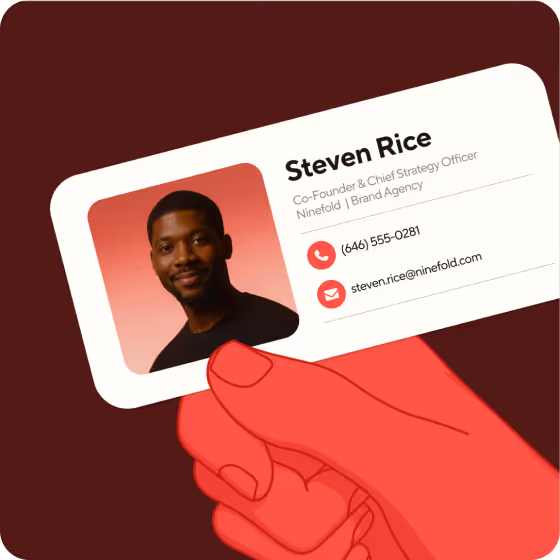
Emailing your network with a well-designed and professional email signature can not only help you build relationships, but also potentially lead to more business opportunities in the future. Unfortunately, getting your email signature right isn’t always straightforward. Have you ever seen a colleague’s signature with outdated information or a broken link? Maybe they’ve even copied someone else’s template but forgotten to update the links.
All of these mistakes, plus plenty others, can easily turn an impactful email signature into an embarrassing faux pas. This could result in a communication breakdown or lead to your email recipients considering you less professional and undervaluing your service or products.
As a provider of the top-rated email signature software on G2, appraised by over 8,800 people, we can offer expert guidance on professional email signature etiquette. The following 47 dos and don’ts can guide you when you’re creating your email signature with Blinq or another provider. Take a moment to make sure you’re hitting all the right notes and avoiding all the common pitfalls.
Key Takeaways (TL;DR)
- Nailing the design of your email signature can help you better connect with and impact internal and external stakeholders during email comms
- Poorly designed signatures can limit your ability to connect and market yourself or your company when emailing your network
- Keep your email signature design simple and clear, including only essential information and elements
- Avoid adding overly personal information or photos on a professional email signature
- Utilize rich media and links to better market yourself and your brand in email comms
- You can create professional email signatures for yourself or your entire organization quickly and for free with Blinq
1. Do ... include a headshot
A professional headshot is a great way to engage and connect with your email recipients. Give them a face to go with your name and you’ll be more recognizable to your professional network. Just make sure it’s a warm and professional photo.
2. Don’t ... include your political or religious beliefs
While your politics and/or religion may be important in your personal life, they don’t belong in your professional email signature. Including them could offend people and result in your emails being ignored.
3. Do ... write a tagline/headline reflecting your professional persona
On the other hand, including a professional statement in your signature can effectively present your brand or persona to potential clients. It could be a line from your company manifesto or your brand’s latest marketing slogan.
4. Don’t ... write a quote that could offend people
While professional statements work well, random quotes can have the opposite effect. Especially if they might be misconstrued or offend people.
5. Do ... use consistent formatting
A professional email signature is a neat and legible email signature. Confucius never said that, but he should have. Keep your formatting consistent across your color scheme, font and layout and your signature will be more digestible and impactful.
6. Don’t ... use multiple or confusing fonts
Using multiple font styles or choosing something like Comic Sans, Broadway or Bauhaus 93 can make your signature difficult to read. One of these alone can make your signature less legible. Now imagine if you had all three scattered throughout it. No thanks.
7. Do ... align your color and font style with your company
Unifying your signature with your company’s style guide gives it a distinctly professional edge over many others. The best email signature software, like Blinq, lets you choose from the entire hex color codes to help you do this. You just need the Premium, Business or Enterprise plan.
8. Don’t ... use bullet points
Bullet points don’t belong in email signatures. Period. They can appear differently on various email platforms. They also look really out of place. Like wearing shorts to a board meeting.
9. Do ... cover all relevant contact details
One of the purposes of an email is communication. Contact details help people communicate with you. It’s a no-brainer. Adding your business address, phone number, email, fax and any other relevant details will help people reach and connect with you. This could produce some exciting business opportunities.
10. Don’t ... include personal contact details
A professional email signature with personal contact details is like an office building acting as a storage unit for all employees. It just doesn’t work. You also put your privacy at risk by including your home address or phone number, especially if your signature isn’t protected by enterprise-level security (that’s what Blinq uses).
11. Do ... add relevant social media links
Links to your company’s Facebook, LinkedIn, Instagram and other social media pages can help grow your followers. They also give your contacts more opportunities to learn about your brand and its products or services.
12. Don’t ... add irrelevant social media links
Not all social media links warrant adding to your professional email signature. If you’re communicating with your work network, you shouldn’t be directing them to your personal social channels. This is an opportunity to showcase your company, not your amateur food photography.
13. Do ... add a link to your company’s website
Just like linking to your company’s socials, your website should be present in your email signature. Yet another opportunity to drive potentially valuable traffic to your brand.
14. Don’t ... add a link to your personal blog
Linking to your personal blog or website can have the opposite effect, decreasing your signature’s professionality. Now is not the time to show off your recipes or poems.
15. Do ... include links to high-value website pages
You can make your emails more targeted and purposeful with links to specific website pages. This could be a new product, an upcoming event or a high-value service you want to promote.
16. Don’t ... inundate recipients with too many links
Now that we’ve mentioned all the links you should and could include, it’s the perfect time for a quick reminder not to include too many. There isn’t a perfect number of links to hit, but if your email signature feels overwhelming or too long, it’s time to cut some.
17. Do ... test your signature on desktop and mobile
The best email signatures work the same way on desktop and mobile devices. Test yours out before you start firing off work emails. That last thing you want is a perfect signature on desktop becoming all squashed and messy on your client’s mobile.
18. Don’t ... make it bigger than 600 pixels wide and 200 pixels high
Speaking of size, it certainly matters when it comes to email signatures. The ideal email signature size for desktops is 600 pixels wide and no more than 200 pixels high. If you want it to look good on mobile, you’ll need it to be no more than 320 pixels wide. You can save yourself the headache of having to resize it by using email signature software, like Blinq, to create a signature that scales automatically for desktop and mobile devices.
19. Do ... keep your contact details up to date
This might sound like a no-brainer, but it’s an easy one to forget when you’ve had the same email signature for a while. Company phone numbers, addresses and other important contact details often change but are forgotten about in signatures. If you have a lot of email signatures to manage in your company, Blinq’s centralized admin control can help roll those updates out across every employee’s signature automatically.
20. Don’t ... make your signature a single image
Using a single image (e.g. a screenshot) for your signature might seem like a smart move. But it just limits what you can do with it, such as adding links.
21. Do ... make multiple signatures if you have different businesses
Taking a bit of extra time to do this can save you headaches in the future. For example, you don’t want to force one email signature to work for both your landscaping and floral arrangement businesses. Most email platforms let you swap between signatures when you want. Blinq also lets you create multiple and copy them across to Outlook, Gmail or Apple Mail.
22. Don’t ... put multiple job titles on one signature
Similar to the one above, stick to one job title per email signature. Having multiple titles might seem impressive, but it’s just going to confuse recipients as to what you do and can provide.
23. Do ... add a legal email disclaimer
In some regions, industries and countries, legal disclaimers are a necessity. Add one that’s been sense-checked by a legal team or lawyer to protect yourself and your business. Even if you don’t think it’s necessary, it’s often better to be safe than sorry.
24. Don’t ... make your legal email disclaimer the most prominent element
While you’ll want a legal disclaimer at the bottom of your email signature, make sure it’s just there for legal purposes. It shouldn’t stand out more than the other elements and take attention away from your links, photos, contact details etc.
25. Do ... use HTML email signatures over Word templates
If you want to create your email signature from scratch, opt for full-length HTML coding over copying and pasting a Word template. Many of the Word templates don’t work consistently across all email platforms.
26. Don’t ... use HTML email signatures if a signature generator will suffice
The trouble with full-length HTML email signatures is they’re hard to create. The coding can be tedious and finicky, requiring a lot of time and attention. An email signature generator quickly gives you a professional and customizable signature for free without all the coding. You can then use this signature on Apple Mail, Gmail or Outlook as you need.
27. Do ... use a promotional banner to market events, products or services
One of the best elements for a dynamic email signature is a promotional banner. These can be added and removed at whim, giving you a way to promote specific events, product launches, services, or any other brand-related materials. Yet another way to make email comms a passive marketing channel.
28. Don’t ... use a promotional banner to share your holiday photo
With that said, promotional banners are not an opportunity to share personal or random photos with your professional network. Save these for your Instagram page or next family barbecue.
29. Do ... keep the design simple
Email signatures shouldn’t be extravagant works of art. Simple and functional signatures work much better in a professional environment. Let your elements harmonize and avoid complex designs that might not display properly.
30. Don’t ... use animated graphics without proper testing
In the essence of keeping it simple, we’d suggest you avoid animated graphics entirely. But if your heart is set on adding animation to your signature, just make sure you test the graphics thoroughly. They have a habit of breaking on certain platforms and devices.
31. Do ... use tables to structure your layout
If you’re using a dynamic email signature generator, like Blinq, you won’t need to worry about this one. If you’re creating your signature from scratch, tables can help lock formatting and stop elements moving about when presented on different sized screens or different email platforms.
32. Don’t ... use oversized images
Respect the text to image ratio and keep your images at an appropriate size. Oversized images may not load and make your email look spammy. They’re also a bit awkward when writing short emails.
33. Do ... add your company logo
Make every work email a chance to promote your company. Adding a logo might increase brand awareness and consideration. At the very least it makes your signature look slick and professional.
34. Don’t ... let everyone create their own email signature
This is a recipe for chaos. You’ll get random designs and approaches that look unprofessional overall. Keep everyone aligned with one centralized design and specific elements. Blinq can help manage this automatically with its Business and Enterprise plans.
35. Do ... align everyone’s email signature
Nothing looks more professional than everyone in your team or company having the same signature style and approach.
36. Don’t ... rely on people to make updates when requested
Can you really trust that everyone is going to update their email signature at the same time? This is a surefire way to end up with outdated information in certain team members’ signatures.
37. Do ... use a centralized admin to manage your company’s signatures
What’s more efficient: sending out a long list of updates you want everyone to make to their signature or rolling them out automatically? Hopefully you chose the second option. You’ll just need an email signature manager to do this. Blinq can help.
38. Don’t ... put your email signature at the top of your emails
You want your email message to be the first thing your recipients see. As much as your email signature should be impactful, it shouldn’t override your message.
39. Do ... use email signature software that tracks important data
Data tracking is helpful for knowing whether your signature’s links, CTA and/or banner are effective. Blinq’s email signature software provides this data, helping you optimize your email marketing.
40. Don’t ... use all the white space
White space is as brave and impactful as a long pause between statements when making a presentation. Use it wisely and don’t cover it all with images and text. Everything you include will likely become lost in the crowd.
41. Do ... rely on enterprise-level security to protect sensitive data
The personal data in your email signature is important. Whether it’s your company or individual team members, protecting this data from phishing scams should be a priority. Blinq’s enterprise-level security helps you do this.
42. Don’t ... assume the font is readable on all devices
Just because the words are legible on a desktop computer doesn’t mean they’re readable on a mobile. Test your signature out on both and opt for the larger font if you’re not sure.
43. Do ... brag about your relevant work
If it showcases your company or professional achievements, share it in your signature. You could include a link to your latest case study, promote a recent award on a banner or add a tagline about your quarterly sales. Just do it in a respectful and humble way.
44. Don’t ... brag about your personal life
If your achievements aren’t related to your work, leave them off your email signature. You can post about those on social media instead.
45. Do ... include a CTA for marketing
Emails don’t have to be just for communication. Including a well-placed CTA in your signature can help turn your emails into passive marketing opportunities.
46. Don’t ... use IT’s time to create your signatures
Your company’s IT department has more integral tasks to focus on. Having them create and manage your signatures will only delay other important work.
47. Do ... save yourself time and stress by using an email signature generator like Blinq
While you may want to build yours from the ground up, an email signature generator will save you time and stress. It’s a lot easier to design, manage and roll out across entire teams and companies. If you’re ready, you can create your free email signature online.
Frequently Asked Questions
What is a professional email signature?
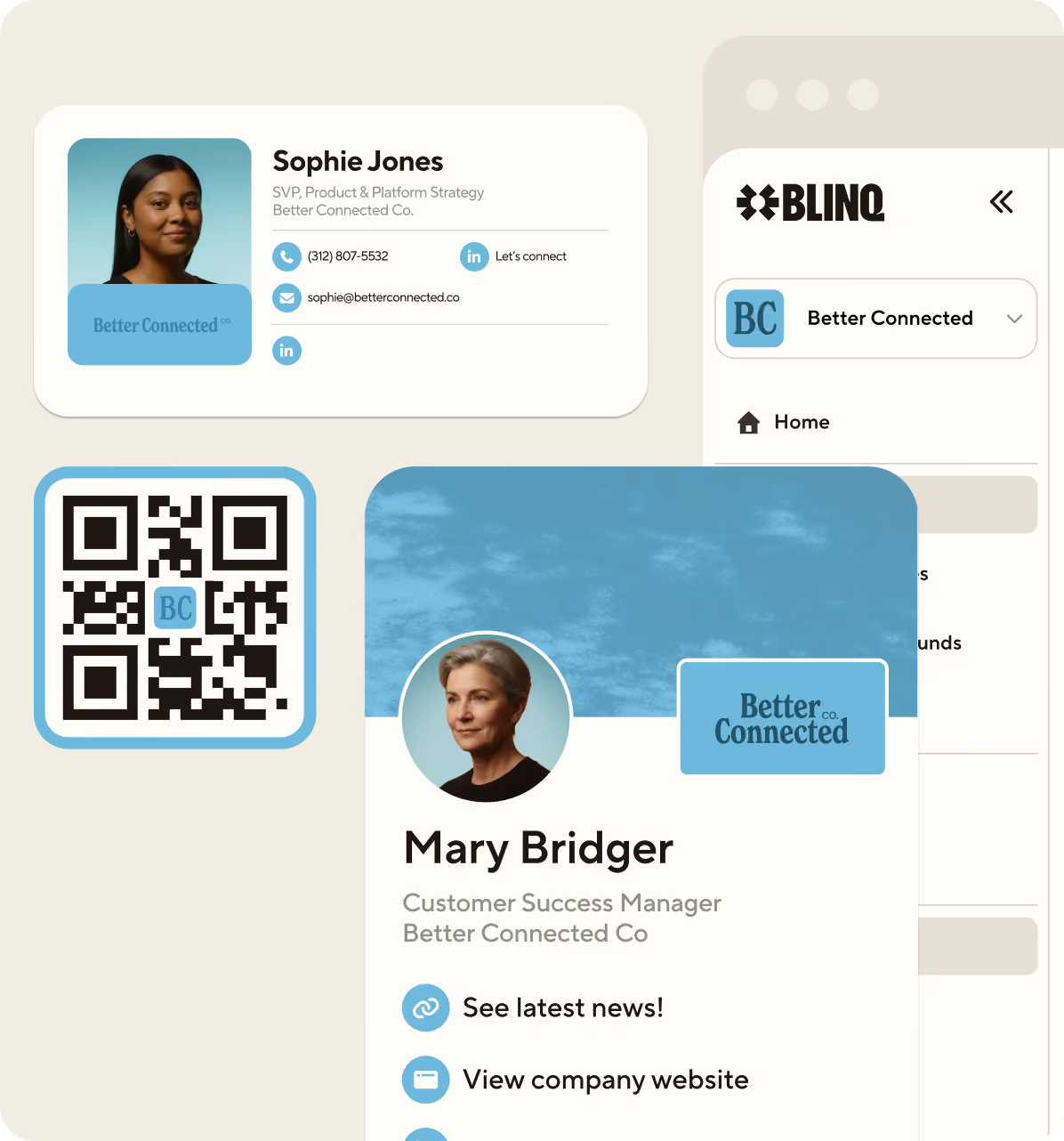
A professional email signature is a clear and concise collection of details, media and links at the bottom of your email message. It essentially acts as a digital business card for your email communication, presenting your company and professional persona to recipients.
It will usually include your full name, job title and contact details. It can also include links to relevant social channels and your brand website, a headshot and company logo, a CTA, and a promotional banner.
What is the main rule of email signature etiquette?
There isn’t one main or golden rule for email signature etiquette, as you can see from the 40-plus dos and don’ts above. However, it’s always advisable to keep your signature professional, concise and informative. Provide essential information and exclude anything irrelevant to your work and company.
What is the most common mistake people make with professional email signatures?
The most common mistake is stuffing too much into an email signature. Too many contact details, images, links, colors and other elements make signatures look squashed and unprofessional. Many recipients will just ignore them entirely and all the important information will get lost amongst the crowd.
How do I make my email signature look more professional?
You can make your email signature look more professional by following the 47 dos and don’ts outlined in this article. Not all of them will necessarily apply to your situation, but I guarantee many of them will help you spruce up your signature so it’s a clear, concise and professional reflection of you and your company.


