


.avif)

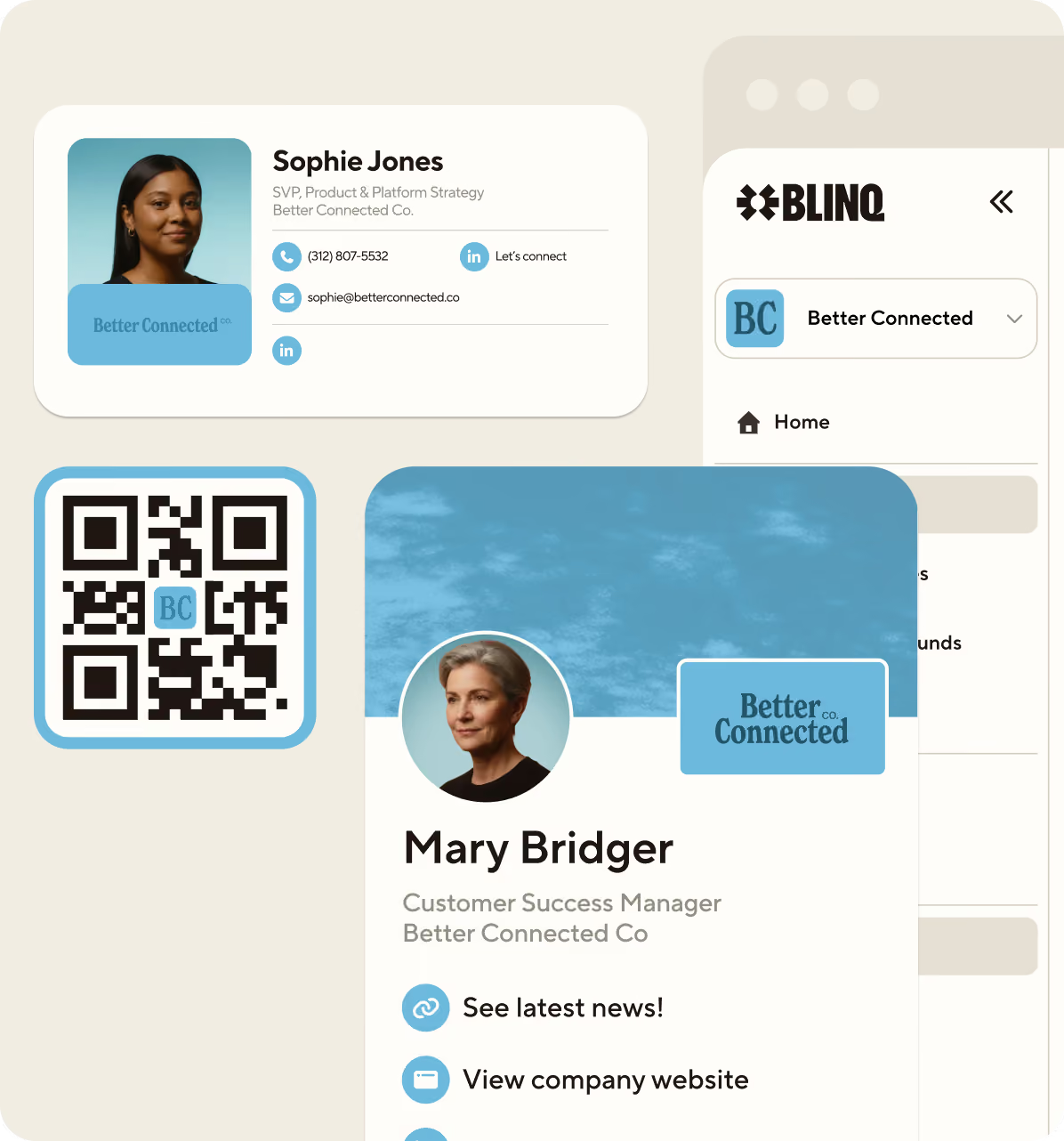
A trade show lead capture app turns a badge scan, a business card or a QR code into a complete contact your team owns. Reps capture on their own phones, enrichment fills in the details the badge didn't carry, and every contact lands in your CRM with the conversation you had attached. This replaces the routine most exhibitors know: renting the organizer's scanner and relearning a new system at every show.
This comparison covers six lead capture apps for 2026, plus the rented badge scanner as a baseline. First, a disclosure. We're Blinq, and Blinq is one of the six, so we wrote the comparison we'd want to read if we were the buyer. Every capability claim was checked against vendor pages, organizer order forms and product documentation, every enrichment figure is confirmed as vendor-published, and the criteria are weighted toward the two things that decide a show on the day: whether your reps keep using the app, and whether it holds up when the hall wifi doesn't.
Key Takeaways (TL;DR)
- Blinq is our pick for exhibiting teams running a full show calendar. It has the deepest CRM sync in this set, the strongest adoption evidence (4.9 on the App Store with 160,000+ ratings, 4.8 on G2 with 9,300+ reviews), and a 30-day free trial of Blinq Business, so you can test it at a real show before rolling it out. Where a competitor beats us, the scorecards below say so.
- Renting the organizer's scanner is the baseline, and the math has stopped favoring it. One handheld per rep at each of 10 shows costs up to $6,850 a year at 2026 standard rates, before add-ons, and what comes back is only registration fields, up to 14 days later, with no context for you to act on. It can still make sense for a team exhibiting once a year, and the rental section below explains when.
- Conversation capture is a key differentiator and one of the hardest to test. Five of the six reviewed companies now attach what was discussed to the contact record: full transcripts, AI summaries, dictated recaps or raw voice memos, depending on the tool. Those differences change what your CRM ends up holding.
- Offline capture is table stakes but won't help you choose. Five of the six claim it and none of those five documents what happens at the edges (Romify doesn't document offline capture at all), so test it in a trial and look for separation in enrichment, sync behavior and whether reps keep opening the app on day three.
Trade show lead capture apps compared: verdicts at a glance
Here's how the six apps and the rented scanner compare on what they're for, where they win, and what to watch. Entries are ranked by overall fit for a general exhibiting team, with our top pick first.
| # | Option | Best for | Where it wins | Watch out for | Adoption evidence |
|---|---|---|---|---|---|
| 1 | Blinq | Exhibiting teams, small floor crews to enterprise rollouts | Deepest CRM sync, per-event ROI attribution, and dictated voice notes summarized into the record | No branching logic for lead routing | App Store 4.9 (160K+) · G2 4.8 (9,300+) |
| 2 | momencio | Mid-market teams running 10+ events focused on proving ROI | Live event ROI dashboard, AI-powered enrichment, and voice notes auto-transcribed | Minimum 5-seat buy and thin adoption evidence | App Store 5.0 (3) · G2 4.9 (17) |
| 3 | Captello | Enterprise event programs with activations | Booth games and activations alongside capture, and the most complete conversation record on paper | Setup and training load, and no CRM named on its own site | App Store 4.6 (430) · G2 4.8 (180) |
| 4 | Mobly | Teams going to a few events a year who want ICP scoring and post-event analytics | ICP scoring per lead, Mobly Insights event analytics | Thin App Store evidence and no documented SSO | App Store 4.8 (20) · G2 4.8 (108) |
| 5 | Zuant | Questionnaire-led qualification and GDPR-heavy show calendars | Weighted-answer lead scoring, kiosk mode, and consent capture built into the form | Two native CRM connections, and no published security certifications | G2 4.4 (27) · App Store rating recently reset |
| 6 | Romify | Teams that want event ROI reporting with SOC 2 Type II compliance | Romify Hub analytics for event ROI, and SOC 2 Type II certified | Thinnest adoption evidence in the set | App Store 5.0 (2) · no G2 reviews |
| — | Rented scanner | One show a year, simple needs | Per-show pricing, nothing to set up | Recurs every show, registration fields only, no conversation attached | n/a |
How we evaluated trade show lead capture apps
We scored every option on the same eight criteria: capture methods, enrichment, CRM sync depth, qualification and conversation capture, ROI measurement, enterprise admin and provisioning, user experience and adoption, and reliability. Each entry gets a per-criterion scorecard instead of a single number, because a weighted total hides the trade-offs you came here to see. Ratings run limited, mixed, solid and strong, with none where a capability is absent and not applicable where the criterion doesn't apply.
Two criteria carry extra weight, the two that buyers discover too late.
User experience and adoption. The number of leads you leave with depends on whether reps still open the app on day three, when the novelty is gone and the hall is loud. Nobody can measure that from the outside, including any roundup that claims to. What we can do is report each app's store and G2 ratings with the counts named, so you can weigh the evidence yourself, and then tell you to run a trial with your own reps before committing either way.
Reliability. A scan either works or it doesn't, and hall wifi has ended more booth demos than any missing feature. We checked each option's offline behavior against whatever surface documents it, vendor docs or the app store listing, and noted the source per entry. Every enrichment figure in this comparison was published by the vendor claiming it, none have been independently tested, and the scorecards say so every time one appears.
The 6 best trade show lead capture apps and tools, reviewed
Each entry gets the same treatment: how it works, a scorecard, where it's weakest, and who should buy it, with iOS and Android availability noted. Entries are ranked, with the strongest overall option first.
1. Blinq: best overall for exhibiting teams
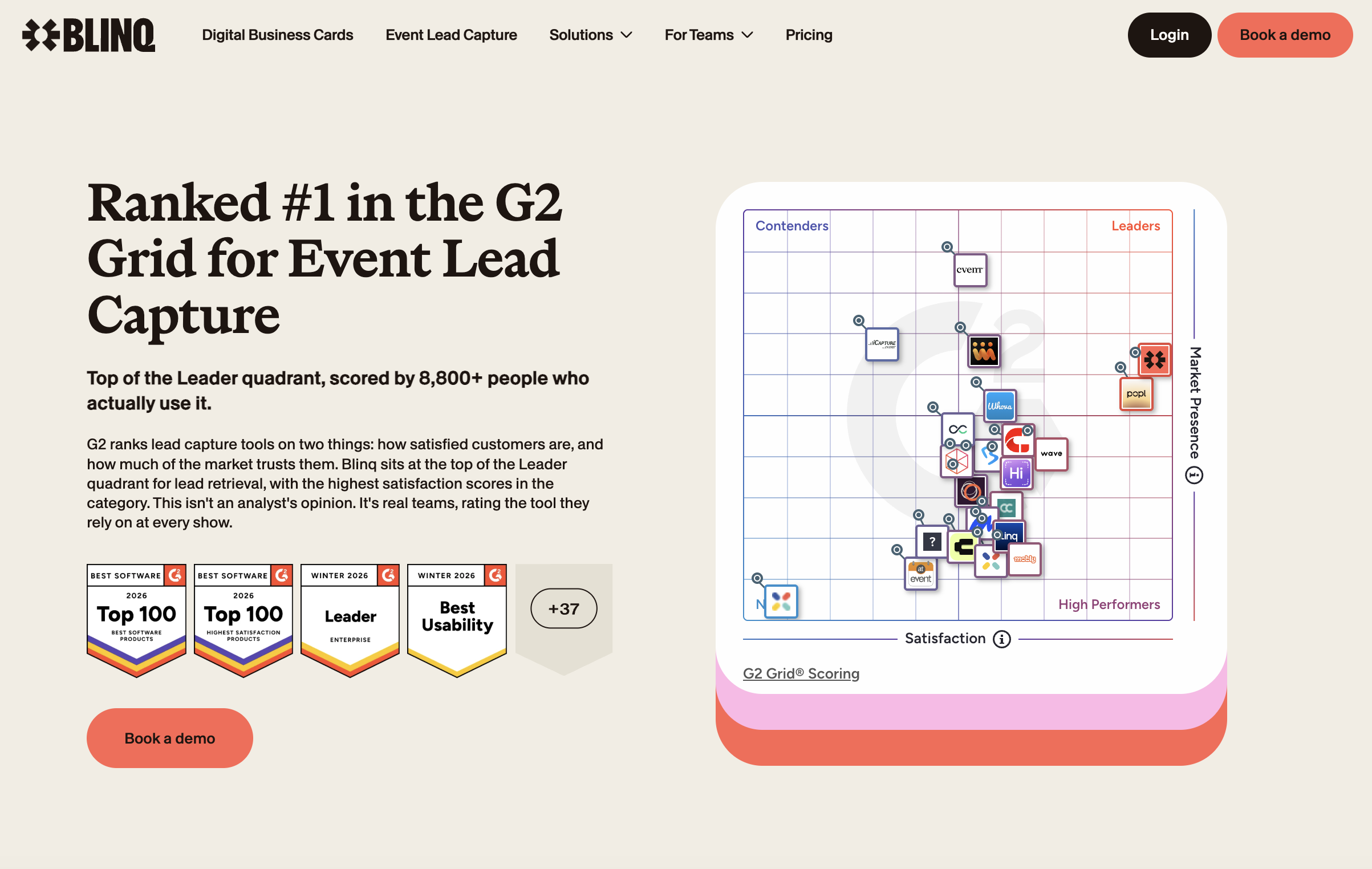
Blinq is our pick for exhibiting teams, whether that's a four-person booth crew or a 100-show-a-year enterprise rollout. It turns a badge scan, a paper business card or a QR code into an enriched, CRM-ready contact in real time from any iOS and Android device, tying every lead captured to the event that produced it, so the ROI conversation after the show starts from data instead of memory.
How it works: reps scan the badge, business card or QR code in front of them using Blinq's universal scanner, or fill in a custom lead form when there's nothing to scan. Digital business card shareback captures leads when prospects save a rep's card. At shows on a supported registration platform, a badge scan resolves the attendee's registration details directly. Blinq's AI lead enrichment fills in verified email, phone, LinkedIn and company fields from 25+ providers, at a published 90%+ match rate on emails and 80%+ on phone numbers (availability varies by plan and account). Reps can qualify leads on the spot with tags and pre-set custom forms, and Blinq's AI Notetaker summarizes a dictated recap into the record so nobody stands at a booth typing notes. Leads sync natively to HubSpot, Salesforce, Microsoft Dynamics, Marketo, Zoho, HighLevel and more, with any other CRM reachable through MCP or Zapier. Cost and pipeline are attributed per event, existing contacts get updated instead of duplicated, and MCP integration lets ops query event performance and conversation data in real time without waiting for a report.
Scorecard:
- Capture methods: strong. Universal scanner for badge scans, badge QRs, business cards and LinkedIn QRs, as well as custom lead forms and digital business card exchange, with offline capture included
- Enrichment: strong. A published 90%+ email and 80%+ phone match rate, vendor-published like every figure in this set
- CRM sync: strong. The deepest here, across the six named platforms, with custom and hidden field mapping
- Qualification and conversation capture: solid. Custom qualifier fields per campaign and an AI Notetaker that summarizes dictated voice notes and phone calls into the record, without branching logic or automatic scoring
- ROI measurement: strong. Per-event attribution with campaign objects in the CRM, and MCP integration for real-time querying of event performance and conversations
- Enterprise admin: strong. SOC 2 Type II, SSO, and enforced SSO plus SCIM provisioning on Enterprise
- Adoption: strong. 4.9 on the App Store across 160,000+ ratings (iOS and Play combined), 4.8 on G2 with 9,300+ reviews, and G2 currently rates Blinq #1 in Lead Retrieval and Easiest to Use in that category
- Reliability: strong. Offline capture with sync on reconnect, documented on the product page, with the most mature offline mode in the set
Where it's weakest: branching logic does not yet exist as part of lead routing, so qualification is manual rather than rule-based. If automatic scoring is your deciding criterion, momencio scores each lead against your ICP as it lands, and Zuant weights questionnaire answers into a score.
Best for: teams running a multi-show calendar who need capture their reps will adopt, attribution their ops team will trust, and provisioning that survives a 100-show rollout.
2. momencio: ROI-focused capture for mid-market event programs
momencio is built for teams that need to prove event ROI alongside lead capture, with a live event dashboard that reports cost per lead and return while the show is still running. It captures via badge scan, business card, QR code and a kiosk mode for self-service, on iOS and Android.
How it works: reps capture through the momencio app with offline sync for connectivity gaps. AI EdgeCapture enrichment fills contact records from the scan, and AI IntelliSense scores each lead against your ICP as it lands. Voice notes auto-transcribe into the lead record so conversation context follows the contact. Leads sync natively to Salesforce, HubSpot, Marketo and Microsoft Dynamics. momencio's event dashboard tracks ROI and cost per lead in real time, per event.
Scorecard:
- Capture methods: strong. Badge, card, QR, kiosk and manual entry, with offline sync
- Enrichment: solid. AI EdgeCapture enrichment from the scan, with no published match rate to compare against
- CRM sync: strong. Native connections to Salesforce, HubSpot, Marketo and Dynamics
- Qualification and conversation capture: solid. Voice notes auto-transcribed into the lead record, and ICP scoring per lead
- ROI measurement: strong. Live event dashboard with per-event ROI and cost-per-lead metrics
- Enterprise admin: solid. SOC 2 and GDPR documented
- Adoption: mixed. 5.0 on the App Store (3 ratings) and 4.9 on G2 (17 reviews). A small but real evidence base
- Reliability: solid. Offline capture with sync on reconnect documented
Where it's weakest: adoption evidence. 20 combined ratings across App Store and G2 is a thin base, and a minimum five-seat buy means a trial still costs $500 a month at the base tier. If your team is smaller than five, momencio isn't an option.
Best for: mid-market teams running 10 or more events a year who need a live ROI dashboard and are willing to commit to the five-seat minimum.
3. Captello: activations and capture for enterprise event programs
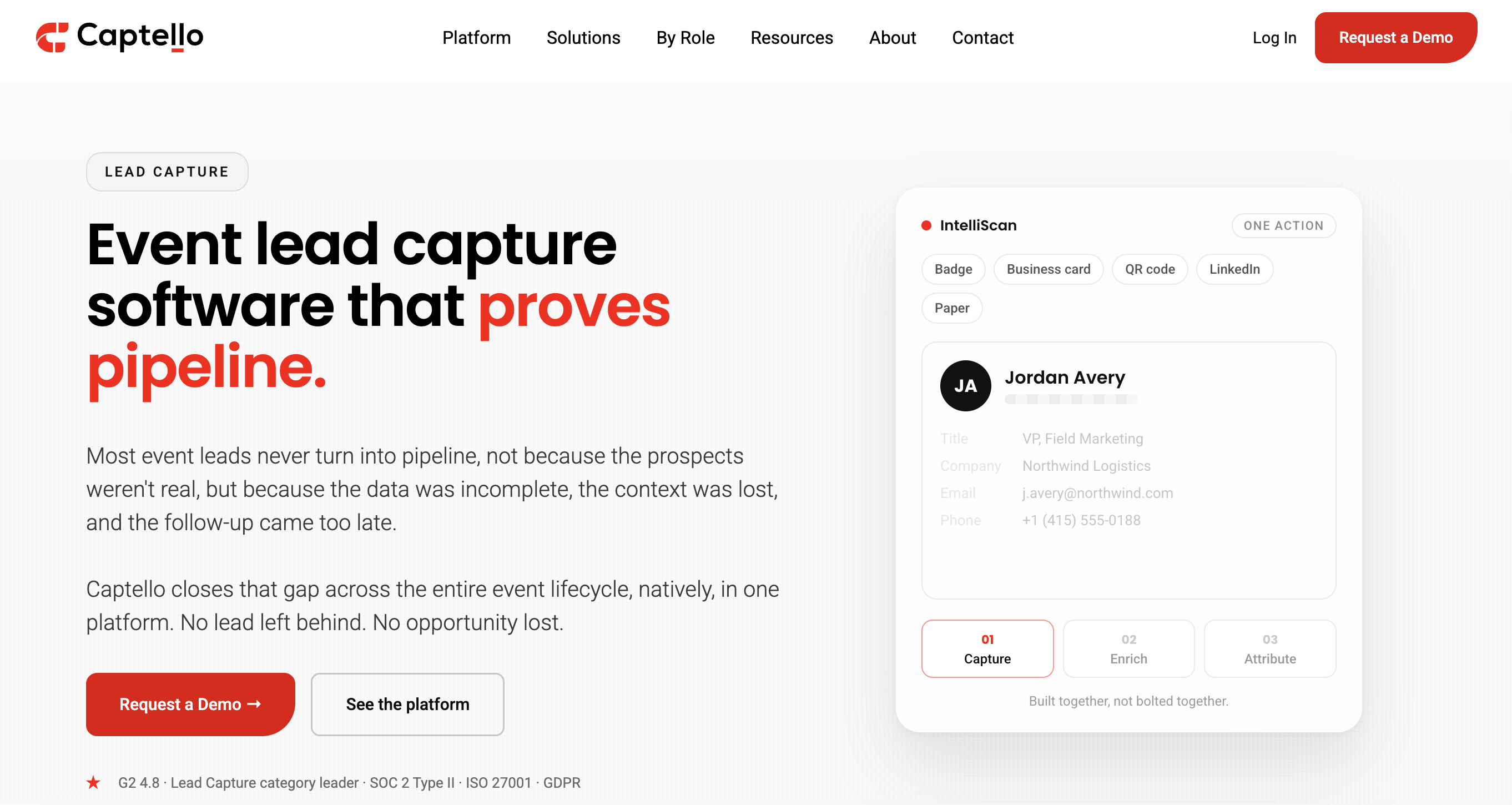
Captello is a lead capture and engagement platform for enterprise event programs, best known for pairing capture with booth games and activations. Its IntelliScan reads badges, business cards, badge QR codes, LinkedIn QR codes and printed contact details, on iOS and Android.
How it works: capture runs through IntelliScan, with offline support confirmed on Captello's own pages. Enrichment runs through what Captello describes as 125+ providers with up to a 98% match rate, though that ceiling is unvalidated and vendor-published like every enrichment claim in this comparison so should be taken with a grain of salt. Its conversation capture provides a useful amount: a summary, action items and a full transcript attached to the lead, with consent controls around it. It claims 9,000+ connectors without naming any CRM which indicates most integrations are likely through Zapier rather than native.
Scorecard:
- Capture methods: strong. Badges, cards, badge QR and LinkedIn QR
- Enrichment: solid. 125+ providers claimed, up to 98% match rate unvalidated
- CRM sync: limited. Broad integration claims, with no platform named on its site
- Qualification and conversation capture: strong. Summary, action items and a full transcript attached to the lead, with consent controls
- ROI measurement: limited. No specific event ROI reporting documented on its site
- Enterprise admin: limited. SOC 2 Type 2, ISO 27001 and GDPR are cited, but we found no SSO documentation on its site or App Store listing
- Adoption: mixed. 4.6 on the App Store (430 ratings) and 4.8 on G2 (180 reviews). Respectable on its own but a step behind the leaders
- Reliability: strong. Offline confirmed on its product pages
Where it's weakest: complexity. The activation and gamification depth that makes Captello interesting for a big program also means setup and training load, and the buying process starts at a demo request instead of a price.
Best for: enterprise event programs that want games, activations and capture from one vendor, and have the ops bandwidth to run them.
4. Mobly: capture for teams at a few events a year
Mobly is built for smaller teams going to a handful of events a year who want ICP scoring per lead and post-event analytics that compare rep and event performance. It captures via badge scan, business card, QR code and OCR on iOS and Android.
How it works: captures run through Mobly's mobile app, with offline support confirmed in its FAQ, and anything captured without a connection uploads once you're back online. Mobly scores each lead against your ICP as it lands, and it sells a planning layer for choosing which events to attend. Leads run through an enrichment waterfall Mobly claims yields more than 90% deliverable email addresses, and they sync to Salesforce, HubSpot, Marketo, Pardot, Zoho, Pipedrive, Eloqua or any target via a webhook.
Scorecard:
- Capture methods: solid. Badge scan, business card, QR code and OCR, with offline capture
- Enrichment: mixed. More than 90% deliverable emails claimed, but deliverability is not match rate, and the figure is vendor-published like every other in this set
- CRM sync: strong on breadth of named platforms
- Qualification and conversation capture: solid. Voice memos attach to the lead, and ICP scoring runs on the way into the CRM
- ROI measurement: strong. ICP scoring per lead, Mobly Insights post-event analytics with rep scorecards and event comparison, and an event planning layer for choosing which shows to attend
- Enterprise admin: limited. SOC 2 Type II is badged, and we found no SSO, SAML or SCIM documented anywhere we checked, including its help center and App Store listing
- Adoption: mixed. 4.8 on the App Store (20 ratings) and 4.8 on G2 (108 reviews). The G2 base gives a clearer signal than the App Store count alone
- Reliability: solid. Offline documented on its site and FAQ
Where it's weakest: adoption evidence on the App Store. 20 ratings is thin, though the G2 base (108 reviews, 4.8 stars) suggests a stronger installed base than the store count implies. Mobly is priced per event rather than per seat, which means the cost scales with your calendar rather than your team size.
Best for: teams going to a handful of events a year who want ICP scoring per lead and post-event analytics that compare rep performance and event ROI across their calendar.
5. Zuant: questionnaire-first capture with strong GDPR tooling
Zuant is built around the qualifying questionnaire. Reps work through a custom form as they capture, each answer carries a weight, and the lead lands in the record already scored. It captures on iOS and Android, with a kiosk mode for self-service and a prize draw feature for pulling people to the booth.
How it works: reps capture through the Zuant app in one of three modes: questionnaire, kiosk, or Scan & Go. Zuant AI reads a photo of the badge or business card on-device and populates the record from it, and the business card scanner runs on video OCR that works offline. Custom questionnaires score each lead through weighted answers, and reps dictate or type notes onto the record. Consent is handled where it should be, in the form itself: privacy statements, signature boxes and consent widgets drop into any Zuant form, every data action carries an audit trail, and a data evaporation setting clears contact data off devices after the show. Leads connect to Salesforce and Eloqua through native API integrations; HubSpot and Pardot connect via HTTP post, Marketo through Zuant's integration module, and anything else through Zapier, with the HubSpot and Marketo connections gated to Pro and Enterprise tiers. Reporting covers global lead stats, per-event reports and post-show email engagement, and the app ships in 21 languages, useful on a calendar that crosses borders.
Scorecard:
- Capture methods: solid. Badge and business card scanning from a single photo, QR capture, kiosk and questionnaire modes. No digital business card shareback
- Enrichment: mixed. Zuant AI populates the record from a badge or card image, with no published match rate to compare against
- CRM sync: mixed. Native API connections to Salesforce and Eloqua only; HubSpot, Pardot and Marketo connect through HTTP post or an integration module, and two of those sit behind tier gates
- Qualification and conversation capture: solid. Weighted-answer scoring through custom questionnaires, with dictated or typed notes on the record and no transcription documented
- ROI measurement: mixed. Event-level reports and post-show engagement reporting, without documented cost-per-lead or pipeline attribution
- Enterprise admin: limited. MFA is documented, and the GDPR tooling is the strongest here, with consent collected in the capture form, audit trails and data removal on request. But we found no SOC 2, ISO 27001 or SSO documentation on its site, help center or App Store listing
- Adoption: mixed. 4.4 on G2 (27 reviews), with recent reviews praising ease of use and support and some reporting sync issues. The App Store rating was recently reset, so there is no meaningful store count to weigh
- Reliability: solid. Offline capture documented on its site, and the card scanner is stated to work offline
Where it's weakest: the paper trail. Only two CRMs connect natively, the security page documents GDPR practices but no certifications, and a reset App Store rating makes the installed base hard to judge from the outside.
Best for: teams that qualify with structured questionnaires at the booth, especially on GDPR-sensitive calendars where consent needs collecting in the same form as the lead.
6. Romify: event ROI reporting with SOC 2 Type II compliance
Romify positions itself as a return on marketing investment, pairing lead capture with analytics that report event ROI through its Romify Hub dashboard. It captures via badge scan, business card and manual entry on iOS.
How it works: capture runs through the Romify app, with leads syncing to Salesforce, HubSpot and Pardot with field mapping and duplicate prevention built in. Romify Hub analytics provides event-level ROI reporting. Romify holds SOC 2 Type II certification and GDPR compliance, documented on its Trust Center.
Scorecard:
- Capture methods: solid. Badge, card and manual entry
- Enrichment: limited. No published enrichment capability or match rate documented on its site
- CRM sync: solid. Salesforce, HubSpot and Pardot with field mapping and duplicate prevention
- Qualification and conversation capture: limited. No conversation capture documented
- ROI measurement: solid. Romify Hub analytics positions on event ROI, though the thin adoption base makes it hard to verify in practice
- Enterprise admin: solid. SOC 2 Type II and GDPR via its Trust Center; no SSO or SCIM documentation found
- Adoption: mixed. 5.0 on the App Store (2 ratings) with no G2 or Capterra reviews. The thinnest adoption evidence in the entire comparison
- Reliability: limited. No offline capture documentation found on its site
Where it's weakest: evidence. Only two App Store ratings and no G2 reviews makes this the least tested option in the entire comparison, and with no documented offline capture and no enrichment capability listed, the product is hard to evaluate before a sales conversation.
Best for: teams that prioritize event ROI reporting, and are willing to evaluate through a sales process rather than a trial.
Scorecard summary
Here is how every app scored across all eight criteria, at a glance. Ratings: limited (significant gaps) → mixed (strengths offset by weaknesses) → solid (reliable) → strong (best-in-class or near it).
| Criterion | Blinq | momencio | Captello | Mobly | Zuant | Romify |
|---|---|---|---|---|---|---|
| Capture methods | strong | strong | strong | solid | solid | solid |
| Enrichment | strong | solid | solid | mixed | mixed | limited |
| CRM sync | strong | strong | limited | strong | mixed | solid |
| Qualification and conversation | solid | solid | strong | solid | solid | limited |
| ROI measurement | strong | strong | limited | strong | mixed | solid |
| Enterprise admin | strong | solid | limited | limited | limited | solid |
| Adoption | strong | mixed | mixed | mixed | mixed | mixed |
| Reliability | strong | solid | strong | solid | solid | limited |
Renting the organizer's badge scanner: when it still makes sense
Renting the official scanner is the default every exhibitor knows, and at 2026 rates the math deserves a fresh look. We pulled the lead retrieval order forms for four major 2026 shows and verified every figure against the source documents.
| Show (2026) | Handheld rental | Mobile app option | Team of 5 (standard rate) | Notable extras |
|---|---|---|---|---|
| ATD Conference (talent development) | $495 to $545 | $350 to $400 first license, $150 to $200 each additional | $2,725 | Sales tax 9.75%; $2,000 replacement if lost |
| AAOS Annual Meeting (orthopedics) | $605 to $685 | $455 to $525 single, $625 to $685 for three activations | $3,425 | $95 loss waiver per rental; $205 to $230 booth delivery; qualifiers package up to $735 |
| NAB Show (broadcasting) | $508 to $600 | $540 for three activations (app activations are per-device licenses) | $3,000 | $138 per extra activation |
| NRA Show (food service) | $579 to $599 | $579 to $599 for three activations, tablet $499 to $549 | $2,995 | $200 booth delivery, no post-show pickup |
How it works: you order per event from the show's contractor, collect hardware or app activations on site, and scan badges. The ATD Conference order form spells out what you get back: name, organization, email, phone and a numeric ID.
Custom qualifying questions cost $99 to $170 as an add-on or setup service unless a package tier bundles them. Leads captured using a traditional scanner can take up to 14 days to arrive, plus a data services fee, per Maritz, the retrieval contractor at three of these shows. If you run one handheld per rep at each of 10 shows, you're paying up to $6,850 a year per rep at these rates, before qualifiers, delivery and loss waivers, and the bill repeats every season.
When it makes sense: exhibiting at one show a year with simple needs and no CRM urgency. At that volume, renting is the rational call. As one marketing events lead at a financial services firm put it: "By the time we get it to following up, the leads are cold given we don’t receive them until 10 to 15 days post-event. Doing 50 to 100 shows, that really adds up". Our full scanner-versus-app comparison covers this trade-off in depth.
Lead capture vs lead retrieval: what's the difference at a trade show?
Lead retrieval is the process of retrieving attendee data directly from the organizer's system. It licenses you the registration data behind attendee badges, per event, which is why the order form you're handed says "lead retrieval." On the other hand, lead capture is the workflow you own: an app your team brings to any show that records who you met, enriches the contact, and qualifies the conversation and routes it all to your CRM in real time.
This is an important distinction because the two get quoted side by side and do similar but different jobs. A capture workflow includes the parts the rental leaves out: real-time access, context and qualification, and direct CRM routing which determines whether sales ever sees the lead. Here's what lead retrieval means at a trade show.
Best trade show lead capture app for each priority
Most teams arrive with one deciding priority. RevOps cares what the sync does to the CRM, the booth lead cares whether reps will use the app, and whoever owns the pipeline number cares what comes back after the show. Here's the call for each.
Best CRM sync: Blinq. Native real-time connections to HubSpot, Salesforce, Microsoft Dynamics, Marketo, Zoho, HighLevel and more, with any other CRM reachable through MCP or Zapier. Blinq offers custom and hidden field mapping to the CRM and existing records get updated instead of duplicated.
Best qualification on the floor: momencio. AI IntelliSense scores each lead against your ICP as it lands, and kiosk mode keeps capture moving when the booth gets busy. Zuant takes a different route to the same job, weighting questionnaire answers into a score as the rep works through the form. Blinq covers custom qualifier fields per campaign but doesn't yet do automatic scoring, so if that's your deciding criterion, those two earn it.
Best conversation capture: Captello on paper, but Blinq in practice. Captello appears to attach the most: a summary, action items and a full transcript. Blinq's approach is lighter but fits the floor better for what’s needed. The rep dictates a recap straight after the conversation and the Notetaker summarizes it into the record, so what reaches the CRM is the part the rep judged worth keeping instead of a transcript someone still has to read.
Best for booth games and activations: Captello, comfortably. If your program runs prize wheels, trivia and lead-gen games alongside capture, nobody else here is competing.
Best enrichment: no honest winner. Every figure in this category is published by the vendor claiming it, and none have been independently tested. Blinq publishes 90%+ on emails, Captello up to 98% from 125+ sources, and Mobly more than 90% deliverable. No two of those numbers measure the same thing, so treat each one as a claim to test on your own list during a trial.
Best event ROI measurement: Blinq. Per-event attribution ties every lead to the campaign object in your CRM, so pipeline and cost per lead report at the event level without manual tagging. MCP integration lets ops query event performance and conversation data in real time, and the attribution carries through to closed-won so the ROI conversation starts from actuals. momencio is close behind with a live event dashboard that reports ROI and cost per lead while the show is still running, and Mobly's Insights dashboards compare rep performance and event ROI across your full calendar after the show.
Easiest for reps to adopt: Blinq. G2 places it as Easiest to Use in Event Lead Capture at the time of writing, with 4.9 on the App Store across 160,000+ ratings and 4.8 on G2 with 9,300+ reviews.
Best for a rollout that has to survive IT: Blinq. SOC 2 Type II certified and GDPR compliant, with SSO and enforced SSO on Enterprise so accounts provision centrally instead of one rep at a time. We found no equivalent combination of compliance certifications and SSO documentation on any other app's own pages, which is a gap in their published material rather than proof it can't be done.
Most reliable: run your own test. Five of the six apps claim offline capture and none of the five publishes what happens at the edges (Romify documents nothing either way): how many captures queue before something breaks, whether the rep is told they're offline, and what reconciles on reconnect. Ask each vendor those three questions and believe the one that answers specifically. Unlike most tools here, Blinq Business comes with a 30-day free trial, with lead capture included, so you can test it at one real show before you commit.
What an AI notetaker adds to trade show lead capture
An AI notetaker attaches the conversation to the contact. While a badge scan tells you someone stopped by your booth, the notetaker adds to this by preserving what you discussed: the challenges they raised, the tools they mentioned, and the next steps you agreed on. For a rep working thirty plus conversations a day, that context separates a follow-up that references the conversation from one that could have gone to anyone.
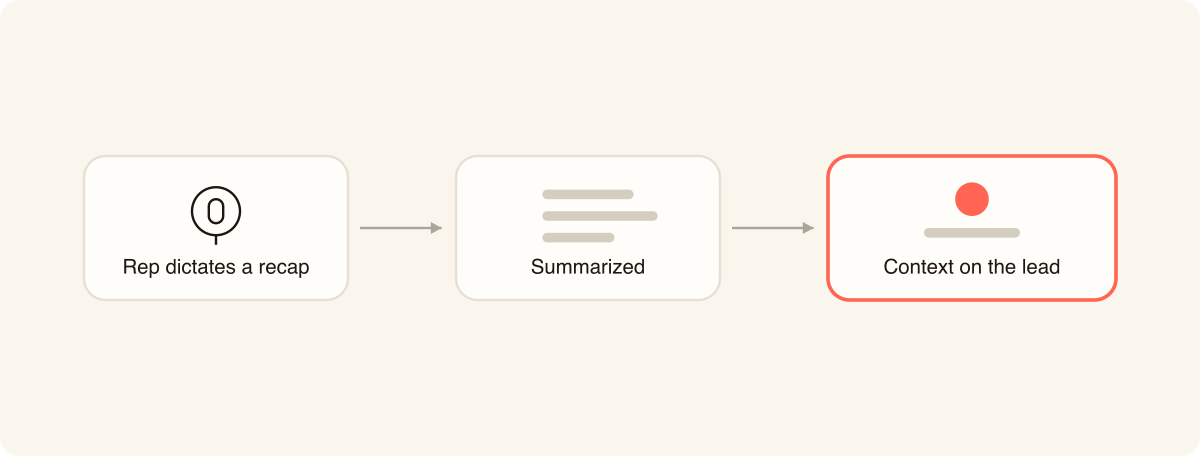
The category is young, and the implementations differ: some apps capture a full transcript, others an AI summary, a dictated recap summarized by AI, an auto-transcribed voice note, or a raw voice memo.
It’s important to determine recording consent before you deploy any recording tool. Laws on recording conversations vary by US state with some requiring everyone in a conversation to agree. A dictated recap post-conversation sidesteps the issue in the simplest way, because the rep records their own voice after the conversation instead of the prospect during it.
Do you need the show's badge kit as well as an app?
No. A trade show lead capture app captures the lead without the organizer's badge kit or API. Reps simply scan the badge face, a business card, or a LinkedIn QR and enrichment completes the contact from there.
The badge kit can work as an optional addition. It scans the QR on the badge and directly pulls the registration record the organizer already holds, the most accurate and complete version of who that person is, straight from the source. This is more relevant in industries where B2B data enrichment runs thin, so match rates come back lower than they would in software or professional services: veterinary and healthcare are examples.
At those shows, pairing the two is the strongest position available. The badge kit gives you accuracy and completeness on the attendees who scanned in, and the app gives you instant capture, the conversation attached to the record, qualifiers collected while the rep still remembers the answer, routing to the right owner, and event-level ROI you can report on. Run the app as the system of record, treat the badge kit as a data top-up if your industry needs one, and ask exhibitor services who runs the badges at your biggest shows before you assume either way.
Which trade show lead capture app fits your team (and who shouldn't buy one)?
Start with how often you exhibit. Once a year with simple needs, and renting is defensible; the rental section above tells you what it costs. Several shows a year with a rotating crew, and an app pays back, because the setup and the muscle memory carry between events. From there, the deciding criteria are usually CRM depth, whether your IT team needs SOC 2 and SSO before they'll approve it, and whether your reps will actually use it on day three.
If you run a trial, point it at a CRM sandbox and watch what the sync does to existing records. If your shows all run on one event platform, the native tool may be the path of least resistance. And if you're an event organizer rather than an exhibitor, you're in the wrong category: you're shopping for organizer-side platforms like Whova or Swapcard, which serve attendees and exhibitors from the event's side of the table.
FAQs
Is there a free trade show lead capture app?
No app in this set offers team lead capture free; they sit behind paid plans across the board. Blinq's free tier covers digital business cards, scanning and basic enrichment rather than the deep enrichment and CRM integrations required for lead capture at scale. However, Blinq Business includes lead capture and comes with a 30-day free trial, so you can pilot it at one real show before you commit. Blinq's plans show what each tier carries.
How do you capture leads at a trade show?
Scan the badge, business card or QR code in front of you. From there, enrich the contact so the record is complete, qualify while the conversation is fresh, and route it to your CRM the same day. The full step by step process is in our guide to capturing leads at events.
Can a trade show lead capture app scan any event badge?
Yes, with one hard case worth knowing. OCR reads whatever is printed on the badge, so a standard badge never locks you out, and a QR the app can read carries richer data than print alone. Where a show encrypts its badge QR and prints little more than a name, the app captures the name but enrichment has less to match on, so reps fall back to the person's business card or LinkedIn QR, or type the company on the spot. A badge scanned against the organizer's own registration system returns the most fields of all, a trade-off the badge kit section above covers. Captured badge data is personal data either way, so your own privacy policy governs what you do with it once it lands.
How fast should you follow up on trade show leads?
Follow up within five days, and sooner if you can. The most recent non-vendor survey on this, EXHIBITOR Magazine's 2015 Sales Lead Survey, found 62% of exhibiting leads were contacted within five days of the show, so moving slower means competing with everyone who got there first. The full playbook is in our guide to following up on trade show leads.
See Blinq lead capture at your next show
The fastest way to test any of this is a real event. See Blinq's trade show lead capture app in action and watch a badge scan become a CRM-ready lead, conversation included, before your next show opens.