


.avif)
smaller.png)

In-person events are still one of the most important ways to grow your business through new clients. They allow you to close deals with people who might not have been on your radar. They also help you develop brand awareness and consideration and better understand how people see your offering.
Unfortunately, for many companies event lead capture continues to be a costly and painfully manual process that can result in thousands of missed leads each year. Traditional methods (i.e. event-provided badge scanners) rely on so much admin and suffer from lengthy delays that any leads gleaned from events end up going cold before teams can even contact them.
When you’re spending thousands of dollars each year to have booths at these events, every missed lead comes at a great cost to your business. Fortunately, there are much better ways to capture leads at in-person events. With the right technology, you can drastically reduce those missed leads and ensure your follow ups happen sooner and contain far more context.
Key Takeaways (TL;DR)
- Universal event lead capture software provides the richest, fastest and most flexible method of capturing leads at in-person events
- Traditional badge scanners can cost thousands of dollars each year, while lead capture software has flexible pricing models based on use
- Blinq is the top-rated lead retrieval software on G2 from over 8,800 professional appraisals
- AI integration helps you capture more enriched leads with fuller contact details and conversation context to personalize your follow ups
- Flexible lead capture software lets you scan event badges, business cards, QR codes and other forms of ID
- The best lead capture software functions offline and online
- CRM integration lets you transfer leads within seconds instead of multiple days, letting you follow up faster
- Lead capture tech makes lead capture more automatic, significantly reducing manual work and time
- Clear ROI reporting helps you determine which events are best for leads
What is Lead Capture Technology for Events?
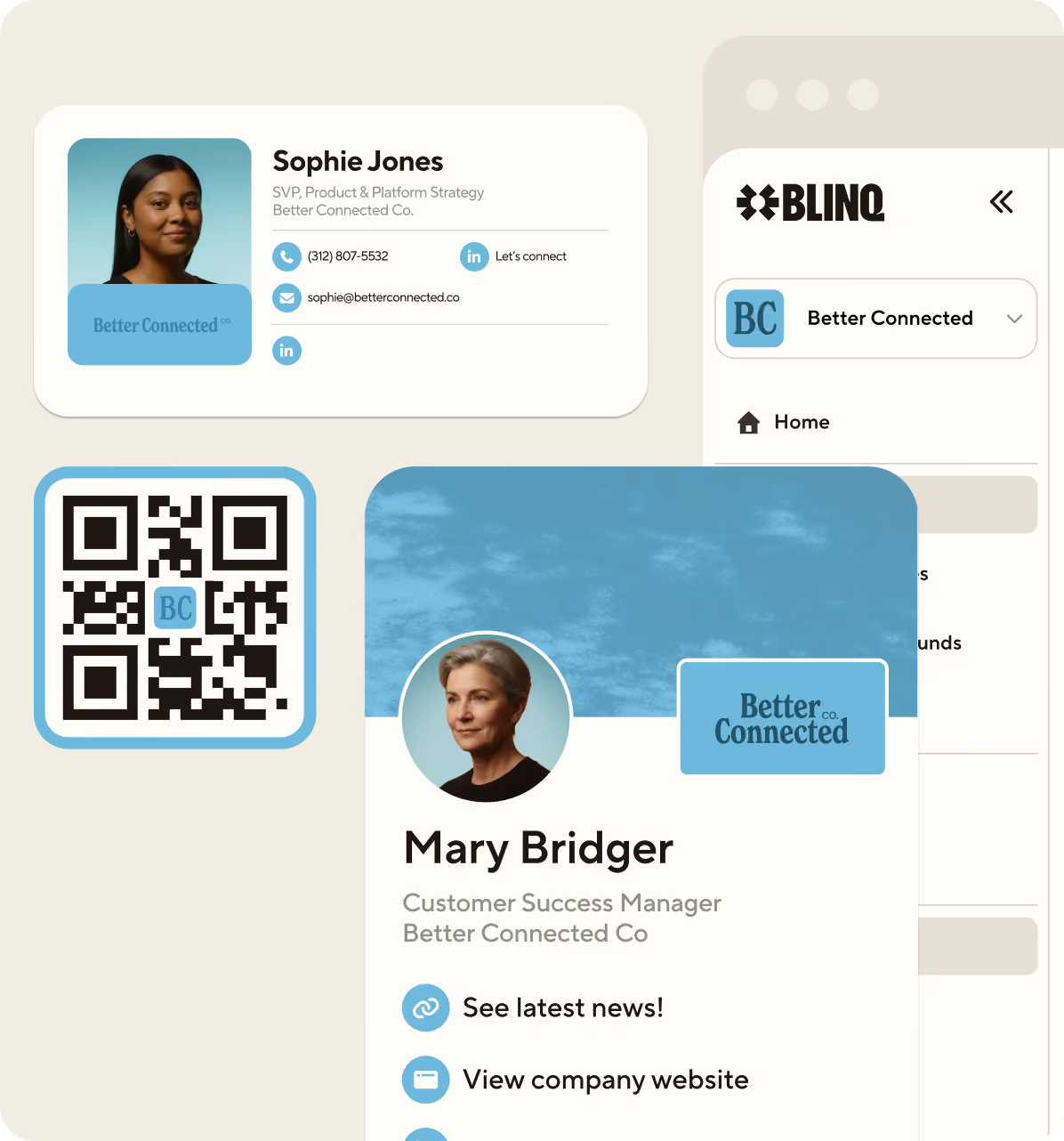
Lead capture technology typically comes as a mobile app that exhibitors at events can use to more easily collect and transfer leads to their company’s CRM. It also helps you qualify these leads through custom forms that let you capture the information most important to you. This event lead capture software, like Blinq, means exhibitors can forgo costly and issue-ridden badge scanners and instead use their mobile phones to scan event badges, paper and digital business cards, NFCs, or QR codes to capture contact information.
With this technology, you can more easily turn conversations at your booth into leads. The more innovative systems incorporate AI to provide richer event leads and help personalize follow ups. This is one reason why Blinq’s event lead capture technology is used by over 4 million people across 500,000 companies, including Google, Disney, OpenAI and Tesla.
How to Better Capture Leads at Events with AI-Powered Software
1. Start by choosing quality event lead capture software
Choose lead capture tech that offers the features and capabilities you need for greater ROI at trade shows.
This is your first and most important step. If you’re responsible for your company’s event lead capture software, you have a big decision to make. The tool you choose can make a huge difference in how financially effective and viable industry events and trade shows are for your brand. If you have great salespeople at your booths, it can also help them focus on what they do best: selling your products or services.
So where do you start? It can help to review the best event lead capture software out there right now. You want to do some thorough research, comparing multiple options across different sources.
Still, it’s best to have a good idea of what you want in your lead capture tech before you commit. When you’re researching, look for platforms that offer the following features:
- Universal scanning that captures details from badges, business cards, QR codes and other attendee identification.
- Real-time CRM syncing that automatically transfers collected details to whichever platform(s) you use to manage leads.
- Detailed attribution tracking to help you determine ROI per event.
- AI note taking that automatically transcribes conversations to help your follow-ups feel more personal and relevant.
- AI data enrichment that helps fill in any gaps in attendee contact details so you don’t lose any leads.
2. Train your booth staff to use the software effectively
Opt for a lead capture platform that’s easy to pick up and use at events, even for your least tech-savvy exhibitors.
The best event lead capture software makes it as easy as possible for new users to learn and implement it. However, you still need to make sure your team knows how to best use its features for effective lead capture. This is crucial for ensuring you’re getting the most out of this service.
Some lead capture platforms can be set up in minutes, while others have a much longer setup process. It typically depends on the tech and its usability and user interface. Software that works on your mobile, has a streamlined onboarding process and integrates seamlessly with your CRM is often faster to learn and get your team set up. Blinq is rated the second easiest lead retrieval software to use on G2 because it can be set up and integrated with HubSpot, Salesforce or other CRMs quickly.
Exhibitors can usually easily integrate these tools into their current workflows seamlessly as they align well with standard booth processes. Once you have the app on your mobile, you can use your mobile’s camera to scan attendees’ identification. The software then automatically enriches the leads and syncs them to your CRM. It’s a simple process that’s ideal for companies that often have multiple reps looking after their stalls that need to get their leads into the same system.
3. Use flexible lead capture software that doesn’t rely on badges
Universal scanning is a must for greater ROI, letting you capture details from business cards, LinkedIn profiles, QR codes and more.
One of the biggest lead capture limitations at in-person events is the overreliance on badges and badge scanners. For one, not every event has scanners. For another, not everyone remembers to carry their badge around. When this inevitably happens, companies that rely on badge scanners get caught out and must adapt without a clear solution.
Instead of relying on this outdated and rigid approach, forward-thinking teams should opt for more flexible lead capture software that scans attendees’ details from a range of sources. With the right tool, you should be able to capture someone’s details from their event badge, paper or digital business card, a QR code or other form of identification (e.g. LinkedIn account). This helps you stop missing out on leads because your scanner isn’t working or available or someone doesn’t have the one right form of ID.
4. Integrate your captured leads directly with your CRM
Your chosen lead capture software needs to connect seamlessly with your native CRM and facilitate immediate syncing and same-day follow-ups.
Typically, if you’re relying on traditional badge scanners you may not be able to integrate that software directly with your CRM. So as much as you try to speed up this process with the scanner, you’re still manually updating spreadsheets or converting forms so lead data can be transferred.
Whether you’re using the traditional badge scanner or manually adding leads to a spreadsheet, you’re going to wait between 10 and 15 days before those contact details are in your CRM (source: industry benchmarks). At the fastest it will still usually take three to five days (source: Trade Show Labs).
Think about that for a moment. A lot happens in three, five or 10 days. People move on from events. They forget who they spoke to, what they said and why it mattered. Before long, the time and effort you put into a 10-minute conversation means nothing. Or worse, they’ve already been contacted by a competitor and are now progressing with a sale that could’ve been yours.
These ‘cold leads’ are what you want to avoid after industry events. They often end up being lost leads.
The best event lead capture software offers integration with major CRMs and campaign tracking tools. So no matter if you use HubSpot, Salesforce, Zoho, Pipedrive, Microsoft Dynamics, Zapier or another tool, attendees’ contact details from events can be shared automatically with little to no manual intervention.
This means you can get real-time CRM updates. Instead of waiting days, your potential client’s details are added to your CRM one minute after your conversation. Follow ups can happen within minutes or hours. Your team can even reach out to that person before they reach the next booth.
5. Rely on AI waterfall enrichment to populate missing data
Even the latest event lead capture technology can’t save contact details that aren’t physically scannable or openly accessible from the event organizer. This means you might miss out on collecting someone’s phone number, email address, job title or company details if they don’t share them with you during the event.
Right now, the best way to get around this is with AI waterfall enrichment (also known as AI lead enrichment). This technology, employed by Blinq’s lead capture software, uses AI to scan a large number of trusted external data providers to fill in any gaps in an attendee’s details. It does this in a sequence, prioritizing the most reliable sources first, only using high-confidence data. If it doesn’t have confidence in the data, it won’t add it to the lead.
Say you have someone’s name and the company they work for, AI waterfall enrichment can track down and add their email address, phone number, job title, LinkedIn profile, and any other details missing from what you initially collected. This all happens in the background, ensuring that instant CRM updates keep happening. You can then go in and make any changes manually if needed. Automatic deduplication also stops you from storing the same attendee’s information multiple times from different events.
Richer data means more actionable leads. Imagine a scenario where you collect someone’s name and company with no contact details. With no contact details, this usually means you can’t follow up. With AI waterfall enrichment you can now follow up with this important lead using the newly filled in data, including all their available contact details online. Now you can reach out to them confidently over phone, email or LinkedIn.
“The integrated lead form is especially useful, allowing me to capture notes and ensure that I never miss a follow-up.”
6. Utilize AI-powered notes for more personalized follow ups
Software with AI notes will help you automate and personalize follow-ups for better response rates and faster communication.
Speaking of more personalized follow ups, what about utilizing the conversations you had with attendees as starting off points? Usually, you would need to store handwritten or typed notes somewhere to keep track of your conversations. This is hardly manageable when you’re talking to hundreds of people a day at an event.
Conversations get forgotten. Others are incorrectly assigned to someone. It’s a mess.
AI Notetaker, is a big reason Blinq is the top-rated lead retrieval software on G2, appraised by over 8,800 professionals. Your field sales reps will be able to record the conversation they have with an attendee then get an AI-generated summary that helps them bring individualized context to their follow up. These AI notes highlight key takeaways and intent signals from the conversations, giving you clear ways to approach leads after that initial meeting with context that matters.
In one event, you might have hundreds of five-minute conversations. It’s impossible to remember every single one. With AI Notetaker, you don’t need to remember them. Instead, you’ll have a clear and contextually relevant AI summary of every recorded conversation to draw upon.
Now your follow ups can continue the conversation instead of trying to resurrect it from scratch again. This makes it easier to turn leads into ongoing discussions into conversions.
Learn more about how Blinq is helping businesses win in-person events with Relationship Intelligence
7. Get clearer ROI reporting with event-level attribution
ROI reporting can help you determine which events are most valuable for your brand and which ones might not be worth attending again.
Capturing leads at events more effectively isn’t just about what you do on the day. It also comes down to choosing events and trade shows that provide the best opportunities for lead generation.
Unfortunately, this performance data isn’t always readily available. Events use different scanner tech that doesn’t marry up. Exhibitors don’t always keep track of leads or tag them accurately, especially at busier trade shows. Some systems simply don’t let you tag your leads, so you never know which event they’ve come from.
Because of this, companies can spend years attending hundreds of events annually and still be in the dark about which ones provide the best ROI.
Lead capture software, like Blinq, gives you clear ROI reporting thanks to event-level data. Using Blinq lets you set up campaigns in the system for each event you attend. Leads captured during an event will be automatically tagged in the app and synced to your CRM. This means attending sales reps don’t need to worry about manual tagging or dealing with misattributed leads. It also means that when it’s time for post-event reporting, you’ll have a clear picture of all the leads from each event (aka campaign) thanks to the tags set up beforehand.
This clean, informative data can highlight which events throughout the year drive the most and least leads for your pipeline. You can break this data down into specific moments throughout each event, too. This lets you see when particular events get the best traffic and leads.
Now you have the ability to assess the events you attend each year. You can figure out if some aren’t worth the price of admission or if you should be investing more in others. This way you can make this part of your events strategy even more effective and profitable over time.
8. Stop spending excess time, money, and workforce on badge scanners
Badge scanners don’t provide the same level of ROI as event lead capture platforms for most companies.
One of the common pitfalls for exhibitors at events and trade shows these days is an overreliance on badge scanners. While these have served companies in the past, they’ve become an outdated, costly, time consuming and inaccurate method for capturing leads at events.
Here’s the typical process:
- Rent a badge scanner at a trade show
- Scan attendee’s badges
- Collect a CSV file of all scanned details two to five days later
- Manually upload the data to your CRM
- Sort through the details and start following up with attendees
This lacks the richer lead capture elements of modern lead capture technology. It also requires far more time and manual effort. Your leads typically take three to five days to end up in your CRM (source: Trade Show Labs). They’re now cold leads, lacking conversational context and demanding hours of manual processing before your team can follow up. By that point, many leads have been lost.
Badge scanners also typically cost between $200 and $500 per day (source: Trade Show Labs). Think of all the events you attend annually. You could be spending upwards of $10,000 on a process that takes more time, uses more resources and still doesn’t deliver the leads you need to grow your company.
“Scanning business cards was super easy, even for a non-tech partner. Overall, lead capture felt streamlined and straightforward.”
G2 review of Blinq by Anurag K.
9. Capture leads and share your own brand with digital business cards
Choosing lead capture tech that also provides digital business cards lets you capture leads and promote your brand in one conversation.
One bonus that often comes with lead capture technology is that many of these platforms also provide digital business cards. Having both tools lets you capture leads and share your own brand within the same conversation.
Let’s use Blinq as an example. If you’re using our lead capture software at an event and you’ve set up a Blinq digital business card, you can utilize both almost simultaneously. Once you’ve captured the lead, you now also have a chance to promote yourself and your organization’s brand through digital business card sharing.
The rich media and links included on your card may also help a potential lead better understand your business and in turn making them more interested in your follow up email or call. You now also have each other’s contact details, making the exchange feel more natural and less like they’ve given you something for nothing.
It helps when your lead capture software provider has a lot of professionals using its digital business cards. Blinq, for instance, has over 4 million digital business card users worldwide, so there’s a chance you’ll be sharing your card with other Blinq users.
10. Opt for a flexible pricing model that improves your ROI
Flexible pricing is ideal for scalability, helping you get the most out of your budget.
The traditional method of event lead capture often requires paying a set fee for badge scanners. As we mentioned earlier, this can range between $200 and $500 per day (source: Trade Show Labs). The problem here is you’re paying the same amount whether you scan five badges or 500.
Modern lead capture technology platforms typically give you more flexible pricing models so you can tailor your service to better suit your needs. Blinq’s software, for example, offers transparent pricing that’s usage based, meaning you only pay for the value you receive. We also offer a 30-day free trial of Blinq Business, giving you the chance to test the software at a trade show before committing.
11. Find lead capture technology that works offline
Offline functionality means you won’t miss leads if the Wi-Fi cuts out during an event.
One of the biggest concerns people have with event lead capture software is its usability without internet connectivity. Events often have poor or limited Wi-Fi, so you need to find software that can still scan badges, business cards etc. offline.
Choosing a platform like Blinq gives you consistent offline capabilities. However, you’ll just need to wait for an internet connection before you can sync the scanned contacts with your CRM and have them be enriched. It’s still a lot faster than the wait and manual processing of traditional badge scanners.
How Event Lead Capture Tech Compares to Badge Scanners
Here’s a quick breakdown of the capabilities of Blinq’s lead capture software versus traditional event-provided badge scanners.
| Capability | Traditional Scanners | Blinq Event Lead Capture |
|---|---|---|
| Core Function | Log leads (attendee details) via a badge scan. | Lead capture through multiple options combined with data enrichment and conversation context, synced directly to CRM. |
| Data Captured | Basic info submitted to the event. | Enriched contact information (email, phone, LinkedIn, role title, etc.) and conversation notes. |
| Lead Quality | Raw leads, often missing any qualification. | Qualified and contextualized leads. |
| Follow-Up Time | Long and manual process that takes upwards of 10 days post event. | Fast and automated process that can happen within minutes after a conversation. |
| CRM Integration | Manual export to your CRM that takes time and increases risk of errors. | Native CRM integrations across major platforms (e.g. HubSpot, Salesforce, Pipedrive etc.) |
| Workflow Automation | No automation. Requires manual notetaking, CSV exports and more. | Automated workflows and exports. |
| Flexibility | Typically used only at one event. | Can be used at every event or trade show you attend. |
| Conversation Context | No context provided – you must keep notes manually. | AI Notetaker records and summarizes conversations, providing valuable context for follow-ups. |
| Hardware Required | Rented scanners at each event. | No hardware as the mobile app can be used on exhibitors’ smartphones. |
| Data Enrichment | No enrichment. | AI waterfall enrichment fills in missing details using numerous trusted sources when available. |
| Data Accessibility | Can take days or weeks to access the data from the event that rented out the scanner. | Data is accessible one minute after your conversation. |
| Cost | $200 to $500 or more depending on the event. Flat rate no matter how many leads you capture. | Starting from $4.99 per user per month for a Business plan. Lead capture is usage-based so you only pay for the leads you capture. 30-day free trial on Blinq Business. |
Should You Switch to Event Lead Capture Software?
Honestly, event lead capture technology isn’t necessary for everyone. While it can make your lead capture a lot faster, richer and automatic, some companies may not need it based on how they operate.
Here’s a quick breakdown of when this technology may or may not serve you:
| Scenario | Could Event Lead Capture Software Help? |
|---|---|
| You attend mostly virtual events | Probably not |
| You’re currently spending thousands of dollars on badge scanners | Yes |
| You’re spending hours exporting event leads to your CRM | Yes |
| You don’t have a CRM | Yes (use the Blinq dashboard as your CRM for lead capture) |
| You’re relying on handwritten notes or spreadsheets to store contact details at events | Yes |
| You use events for brand awareness, not lead generation | Probably not |
| You’re managing multiple simultaneous events with different badge scanner portals | Yes |
| You have an active CRM in place | Yes |
| You attend more than 10 events annually | Yes |
| You’re getting over 30 leads per event | Yes |
If you’re still unsure whether this is the right option for your company, you can always get in touch with us to discuss your needs and how lead capture technology can help. You can also learn more about our event lead capture software before booking a demo.
Frequently Asked Questions
What’s the best process for capturing leads at an in-person event?
The best process is one that allows you to capture richer event leads that can help your follow ups become more organic and targeted. For many exhibitors, this means using lead capture software with AI integration to enrich captured contact details and provide conversation context.
This way, you end up with an attendee’s details and what you talked about. Now you can pick up the conversation where you left off, decide which contacts are high priority and reach out in a more natural and engaging way.
What can I do if I keep losing leads at in-person events?
If you keep losing leads at or after in-person events, you could benefit from using event lead capture technology. Features like universal scanning, AI enrichment and notetaking, and CRM sync in seconds can help ensure you capture more leads during the event and follow up within minutes instead of waiting for days.
How quickly should I follow up with leads after an event?
You should always try to follow up leads during the event, ideally within five to 10 minutes. If you have to wait until after the event, don’t leave it more than 24 hours. According to SalesMasters, following up leads within five minutes can increase your likelihood of a conversion by up to nine times. Waiting more than a day can decrease the likelihood significantly.
What technology makes event lead capture and follow-up more effective?
Blinq’s Relationship Intelligence technology makes your leads and follow ups more effective during and after in-person events. The AI waterfall enrichment helps fill in any missing details, when available via reliable online sources. The AI Notetaker, meanwhile, records and transcribes the conversations you have with potential clients during events. With this information, you can make your captured leads more informative, helping your follow ups feel more personal and effective.
What methods can I use to capture leads in-person?
If you’re using an event-provided badge scanner, you’ll typically only be able to scan an attendee’s badge to capture a lead. If you’re using lead capture software you can often scan their business card, LinkedIn profile, a QR code and other forms of identification.
What information should I collect from leads at events?
You should be aiming to collect core contact details, plus company details and conversational context (i.e. a summary of what you talked about and what you should mention when speaking next). All of these let you follow up quickly and with a more personal approach. This can help increase response rates to your follow-ups.
Is it still effective to capture leads via paper forms?
It’s helpful to have paper forms as a backup, but you should be using lead capture technology to make your efforts more effective and increase ROI. Paper forms require far more manual work and time than digital methods. It can also take days to transfer the information across to your CRM. Digital methods can do the same job automatically, helping you follow up with leads in minutes, instead of days.
How can I ensure I capture high-quality leads?
In order to capture high-quality leads, you should ask targeted questions and record answers for conversation context when following up. AI Notetaking technology used by Blinq can help you do this effectively with summarized notes and follow-up suggestions. You should also use qualifying forms, ideally customized to suit your needs. But having conversations with attendees, even if for only five minutes, can help you determine whether someone is a quality lead worth prioritizing.


